Creative camouflage
Players paint their own pixel avatar instead of choosing from a preset disguise list.
ChromaHunt documentation
Everything you need to install, configure and run a player-made camouflage hide-and-seek minigame on your Minecraft server.
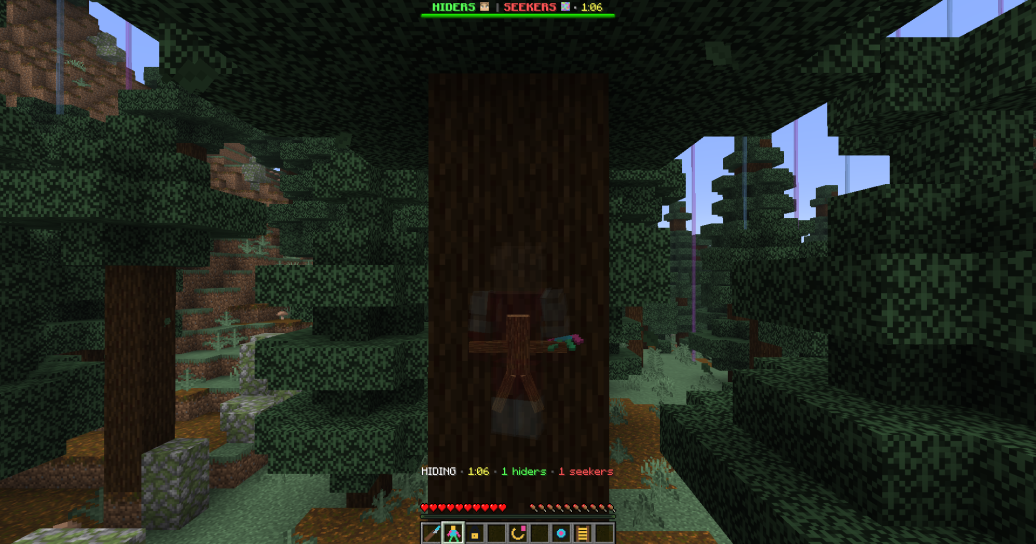
Players paint their own pixel avatar instead of choosing from a preset disguise list.
Classic rewards survival. Infection grows the seeker team as hiders are found.
Arena tools, live HUD, local statistics and an included resource pack ship together.
Product overview
ChromaHunt gives both roles an active job: hiders create and manage a disguise, while seekers read color, shape and movement under time pressure.
Paint with a brush, eyedropper and connected fill, then choose a pose that fits the arena.
Timers, role HUD, exposure feedback and final reveals keep the match easy to follow.
Create arenas, configure rules and deliver the bundled pack without another required plugin.
The same JAR is compiled against Bukkit-compatible APIs for 1.20.1, 26.1.2 and 26.2, and was live-start tested on matching Paper builds.
Getting started
A default installation hosts its own resource pack. External hosting is optional and useful for networks or servers behind NAT.
Always install or replace the JAR while the server is fully stopped.
Place ChromaHunt.jar inside the server's plugins directory.
Start once. ChromaHunt creates plugins/ChromaHunt/ with configuration, messages and data folders.
Allow players to reach TCP port 8128, or configure a direct public HTTP(S) URL.
Set bounds and role spawns, check the arena with /chroma admin info, then enable it.
Run the Java runtime required by the Minecraft server build you choose. Newer server versions may require a newer runtime even though the plugin bytecode targets Java 17.
Administrator guide
Select one cuboid and provide four functional points. The arena can only be enabled when every required value is present.
Use a short lowercase ID that will remain stable in commands and files.
Stand at opposite arena corners and record pos1 and pos2.
Set lobby, hider, seeker and spectator.
Run info, fix any missing value, then enable the arena.
/chroma admin create forest
/chroma admin pos1
/chroma admin pos2
/chroma admin bounds forest
/chroma admin set forest lobby
/chroma admin set forest hider
/chroma admin set forest seeker
/chroma admin set forest spectator
/chroma admin info forest
/chroma admin enable forest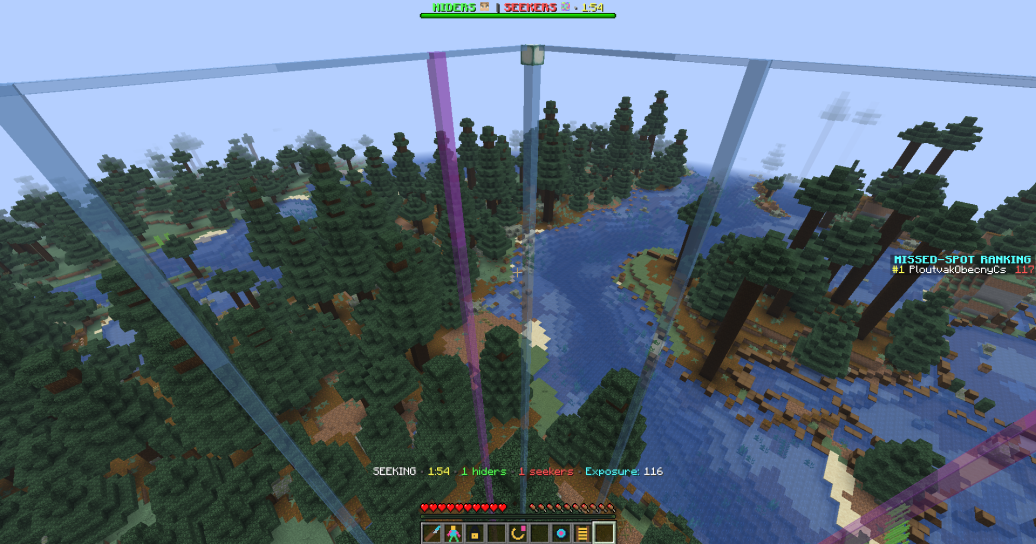
Player guide
Both modes share the paint, hide, seek and reveal loop. The difference is what happens when a hider is found.
Seekers have configured ammunition. Hiders win by staying undiscovered until seeking time expires.
Found hiders become seekers. The searching team grows until everyone is discovered or time runs out.
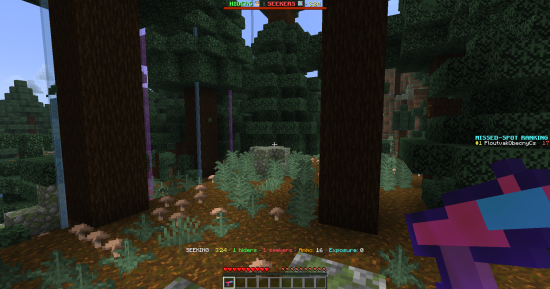
Seekers commit area-effect shots against suspicious locations instead of clicking every block.
Missed-spot scoring records how convincingly a hider occupied the seeker's view.
Hiders can watch the search inside a configured radius and return to their body.
Enable the climbing tool, face a solid wall and hold Shift. Release to drop; reaching a ledge mantles over it.
Original paint workflow
The preview is placed directly in front of the player. Walk around it, rotate it or recenter it whenever another side is easier to reach.
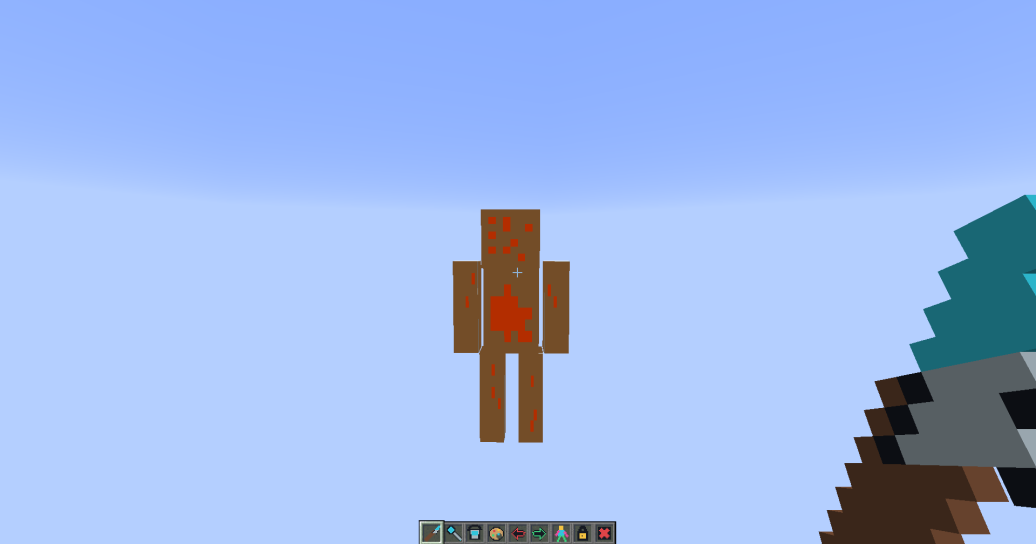
Paint the pixel under your crosshair with the selected color.
Sample a color. Sneak while sampling to use the exact block texture.
Replace a connected region without repainting each pixel.
Right-click for the next pose; sneak-right-click for the previous one.
Rotate by 45° or sneak-right-click to place the preview in front again.
Store the current design and leave the paint session safely.
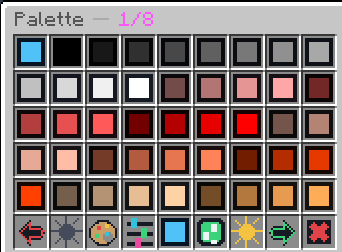
Practice mode lets players learn the painter before joining a match.
Reference
The main command is /chromahunt. /chroma, /chunt and /ch are included as aliases.
| Command | What it does |
|---|---|
/chroma | Open the ChromaHunt game browser. |
/chroma join [arena] | Join a named arena or use quick join. |
/chroma leave | Leave safely and restore the inventory you had before joining. |
/chroma practice | Open the painter outside a live match. |
/chroma stats [player] | View your own or another player's local statistics. |
/chroma resourcepack | Request the configured resource pack again. |
/chroma help | Show the command list in game. |
| Command | What it does |
|---|---|
/chroma admin create <id> | Create a new arena configuration. |
/chroma admin delete <id> | Delete an arena configuration. |
/chroma admin pos1 | Set selection corner one to your current location. |
/chroma admin pos2 | Set selection corner two to your current location. |
/chroma admin bounds <id> | Apply the selected cuboid to an arena. |
/chroma admin set <id> <point> | Set lobby, hider, seeker or spectator spawn. |
/chroma admin enable <id> | Enable a complete arena. |
/chroma admin disable <id> | Stop automatic use of an arena. |
/chroma admin start <id> | Force-start an eligible arena. |
/chroma admin stop <id> | Stop the current match and reset its players. |
/chroma admin list | List configured arenas and their status. |
/chroma admin info <id> | Show configuration and missing requirements. |
/chroma admin reload | Reload configuration and messages. |
Access control
Player permissions are enabled by default. Administrative and bypass permissions should stay restricted.
| Node | Purpose | Default |
|---|---|---|
chromahunt.use | Player commands and the main menu | Everyone |
chromahunt.play | Join and play configured arenas | Everyone |
chromahunt.stats | View player statistics | Everyone |
chromahunt.admin | Arena setup and match administration | Operators |
chromahunt.bypass.resourcepack | Bypass enforced resource-pack acceptance | Nobody |
chromahunt.bungee.bypass | Bypass dedicated-server join and leave locks | Operators |
Visual delivery
The pack supplies custom tools, menu icons, HUD elements and pixel-avatar visuals. The JAR contains the same pack supplied as a separate ZIP.
Enabled by default on port 8128. Set public-url when the automatic address cannot be reached by players.
Upload ChromaHunt-ResourcePack.zip to a direct public HTTP(S) URL and place it under resource-pack.url.
Both the Resource Pack icon in the Chroma GUI and /chroma resourcepack send a fresh cache-busted request.
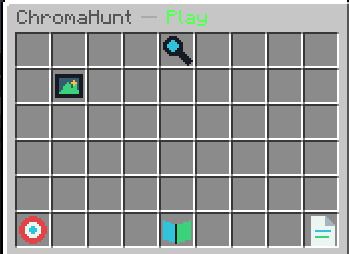
The client downloads the pack itself. A private LAN address, authenticated file page or non-direct sharing link will not work for remote players.
Operator reference
Defaults are usable immediately. Tune one system at a time, reload, and verify the change in a test arena before using it in production.
resource-packAutomatic sending, enforcement, URL, retries and embedded host.
bungeecord-modeAutomatic arena join, leave locking and fallback handling.
mode-rulesClassic and Infection seeker ammo values.
defaultsPlayers, timers, movement, painter, weapon, taunts and results.
hudUpdate interval, progress and player-head appearance.
custom-borderMaterials, spacing, dimensions, view range and close-range culling.
waiting-role-chancesLive fair-selection probabilities before the round starts.
storageStatistics file, skin folder and save intervals.
custom-border:
  enabled: true
  disable-culling: true
  marker-spacing: 4.0
view-range: 96.0defaults:
movement:
wall-climbing: true
climb-speed: 0.22
climb-facing-dot: 0.35Proxy networks
Use this mode when a backend exists only for ChromaHunt matches. Regular players are automatically placed into an available arena.
Set bungeecord-mode.enabled: true only on dedicated backends. A general survival or lobby server should keep it disabled.
KICK denies entry. CONNECT asks a BungeeCord-compatible proxy to return the player to the configured fallback server.
Operators receive chromahunt.bungee.bypass through the admin permission, which is useful for setup and testing.
For multiple backends, an external direct URL is normally more predictable than exposing a separate embedded port for each one.
Help center
Start with the exact symptom below. Most setup problems come from an incomplete arena or a resource-pack URL the Minecraft client cannot reach.
Run /chroma resourcepack or click the Resource Pack icon, wait for the successful-load message, then reopen the menu. Confirm the ZIP is a direct download and that the player did not disable server packs in the multiplayer entry.
Expose TCP port 8128 to players and set resource-pack.embedded-host.public-url when the server's detected address is private, proxied or behind NAT. Alternatively use an external public URL.
Run /chroma admin info <id>. It lists missing bounds or spawn points. The world, cuboid, lobby, hider, seeker and spectator points must all be valid.
Keep custom-border.disable-culling: true. Version 1.0.3 applies the close-range display fix by default; reload or restart after changing this value.
Confirm defaults.movement.wall-climbing is enabled, activate the climbing item, face a solid wall at close range and hold Shift. Adjust attach distance or facing tolerance only after testing the default behavior.
Verify dedicated-server mode is enabled on the backend, at least one arena is enabled and playable, and the proxy forwards BungeeCord-compatible plugin messages.
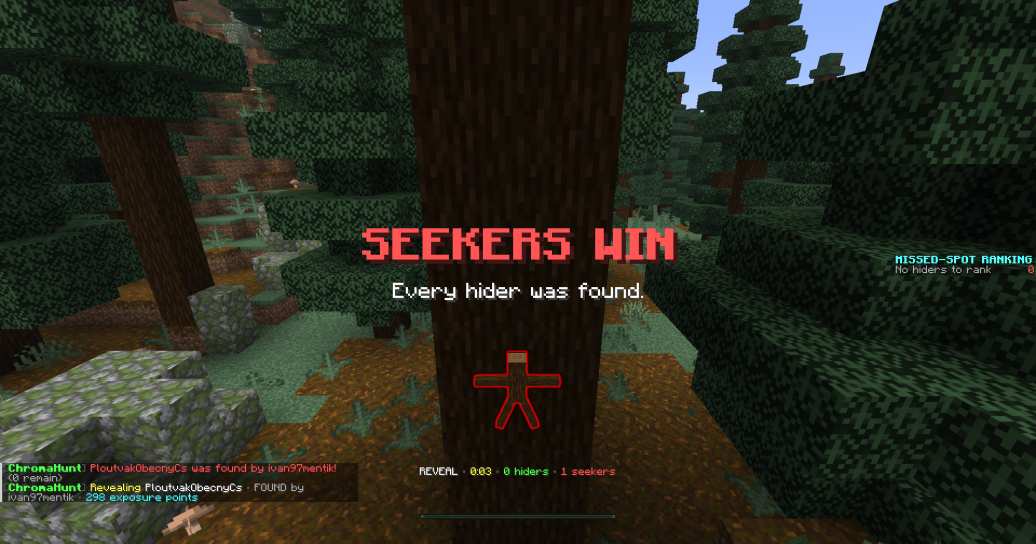
Expected finish
When diagnosing a match, check the server console around the phase where the flow stopped and include that section when requesting support.
Ownership & privacy
ChromaHunt is proprietary commercial software, delivered without telemetry, advertising, remote activation or a hidden update checker.
The plugin does not report player, server or usage information to the seller.
There is no license server, IP whitelist or hardware-bound activation.
Arenas, statistics and painted skins remain in plugins/ChromaHunt/.
Commercial EULA
Customers may configure the plugin and supplied resource pack for that network. Redistribution, resale, public sharing and claiming authorship are not allowed. The complete legal terms are in LICENSE.txt.
ChromaHunt is an independent product. Minecraft is a trademark of Microsoft Corporation. This product is not official, approved by, endorsed by, associated with, supported by or connected to Mojang or Microsoft.